
# Payment Requests
Watch the payment requests overview video:
A payment request is a shareable request for payment that remains available until its amount is paid or its optional expiration date passes. It is useful for invoices, bills, freelance work, donations, and other situations where the customer may pay later or in several installments.
Unlike a regular invoice, a payment request does not lock an exchange rate or payment address when it is created. Each time the customer selects Pay Invoice, BTCPay Server creates a new invoice with the current exchange rate and a new address. The invoices and payments are collected under the original request so both parties can track the amount paid and the remaining balance.
# Create a Payment Request
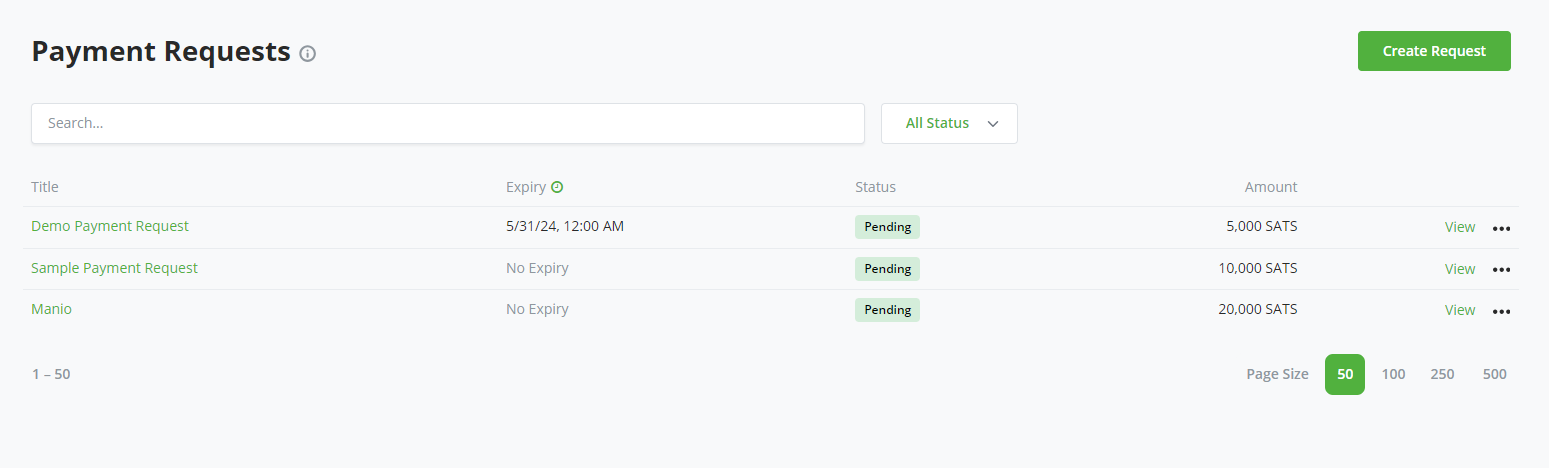
Open Payment Requests for the selected store and select Create Request. The store must have a payment method configured before customers can pay.
Configure the request:
- Title identifies the request to the customer and in the store.
- Amount and Currency define the total requested amount.
- Allow payee to create invoices with custom amounts lets the customer make partial payments. Leave it disabled to require the full outstanding amount.
- Expiration Date optionally limits how long the request remains payable.
- Email identifies a recipient for payment-request email rules configured by the store.
- Request customer data on checkout collects selected customer details, such as an email or shipping address.
- Memo adds formatted instructions, context, links, or attachments to the customer-facing page.
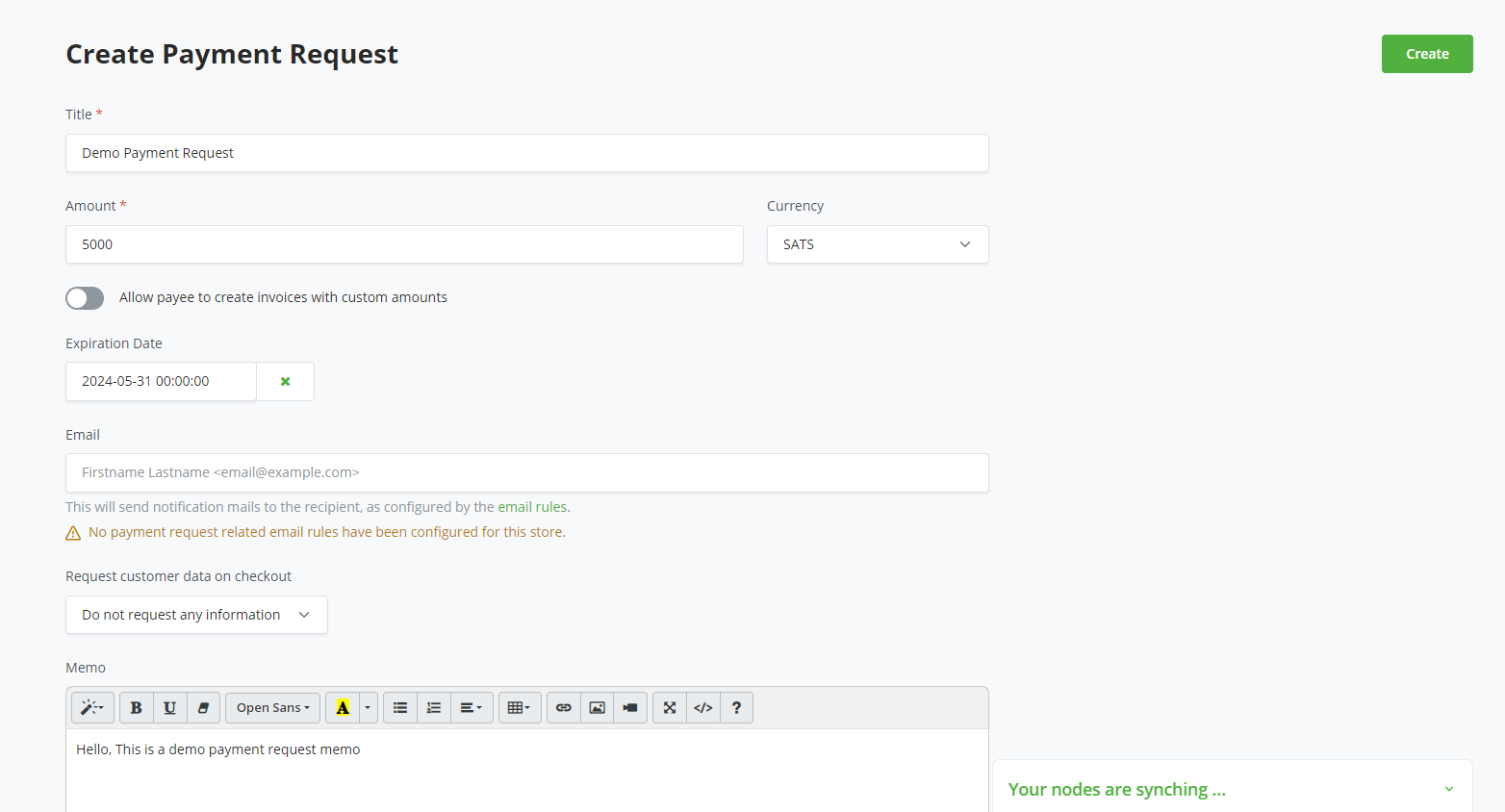
Select Create to save and review the request.
# Share and Receive Payment
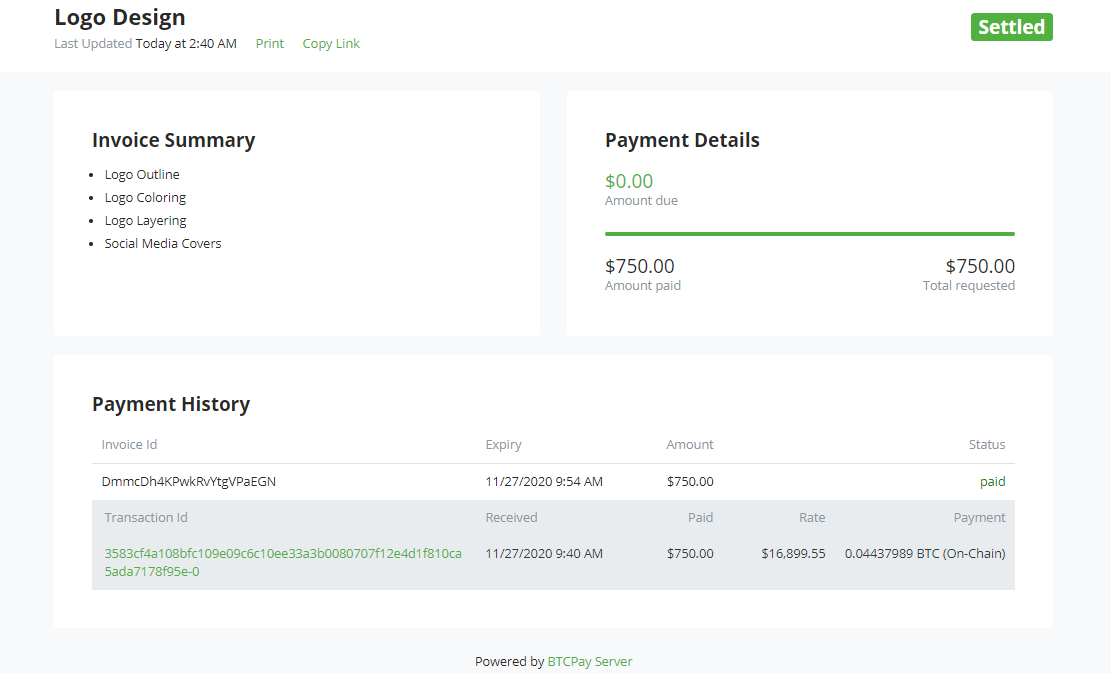
BTCPay Server creates a public URL for the request. Share that URL with the customer, or print the request when a paper record is needed. The page shows the amount due, expiration, memo, and payment history.
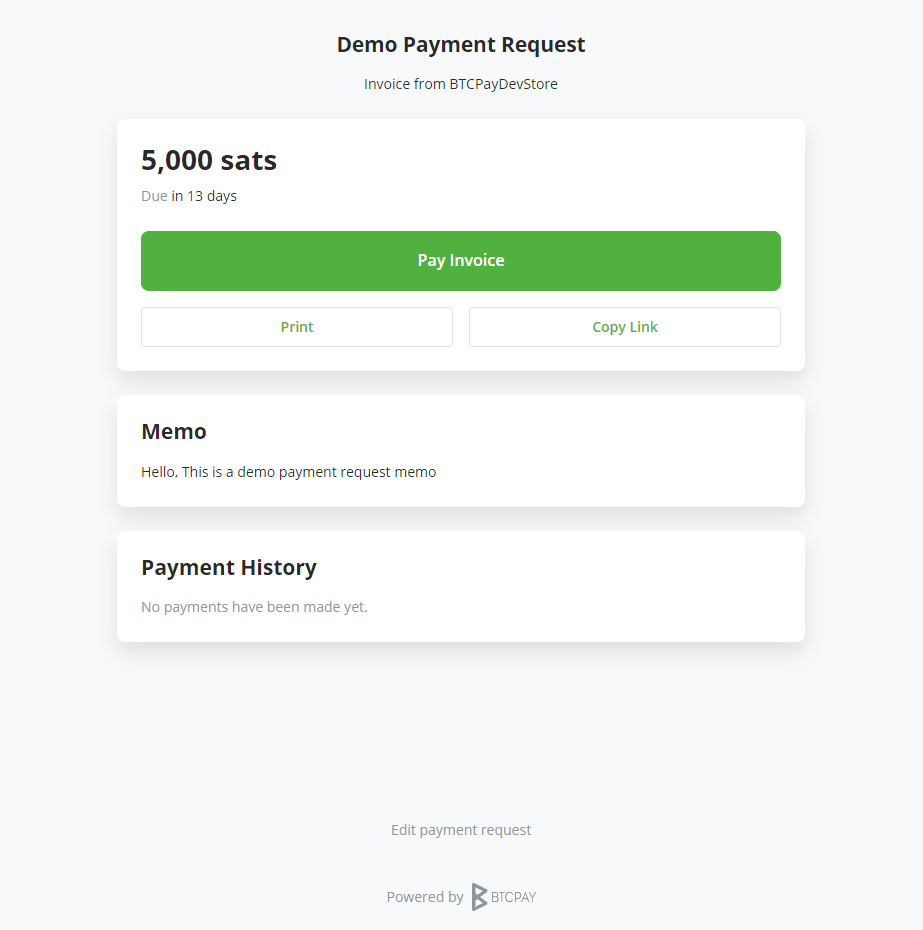
When the customer selects Pay Invoice, BTCPay Server creates a regular invoice for the outstanding amount or, when custom amounts are enabled, the amount entered by the customer. Every attempt uses the exchange rate at that time and a fresh payment address.
# Track and Manage Requests
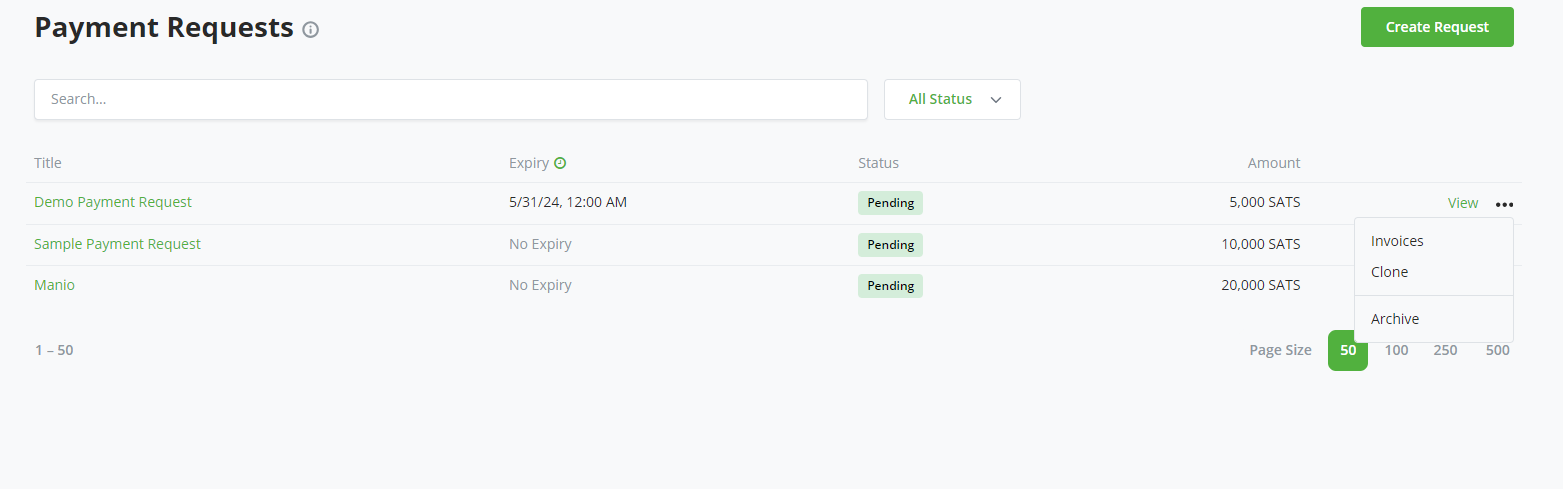
The payment request list shows each request's status, amount, and expiration. Use its action menu to inspect generated invoices, clone a request, or archive it.
The request page updates its payment history and remaining balance as payments settle. A partially paid request remains payable for the outstanding amount. It becomes Settled when the full requested amount has been received.
Invoices created through this flow are labeled as payment-request invoices in the store's invoice list. You can print the request or export its invoice data for accounting and record keeping.